Gladio Mori Replay Tools Guide
Save rounds, scrub the timeline, move a free camera, and prove what the blade actually hit.
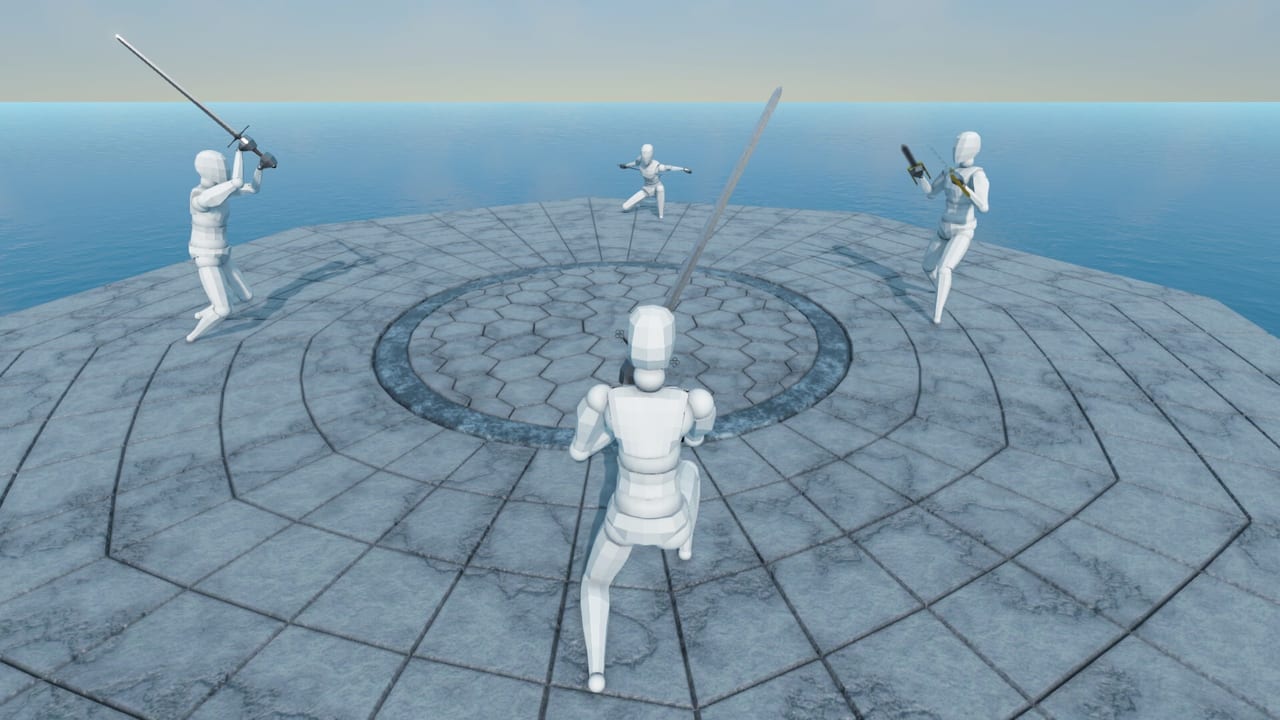
Gladio Mori’s replay tools exist because physics arguments are worthless without frames. Full 1.0 lets you save any fight as a replay, scrub through the action, and move the camera freely—then show friends the exact cut that ended them. On a game with no health bars, that scrub is how you learn whether you clipped an artery, kissed plate, or hallucinated a “clean hit.”
This guide covers the replay workflow for Steam, PS5, and Xbox Series X|S after the September 16, 2026 launch. Pair it with combat tips, the damage system, and multiplayer lobby habits.
What replays are for
Use replays to:
- Verify organ contact versus cosmetic blood
- Settle couch arguments after local split-screen
- Debug custom moves from the move editor
- Study polearm tip paths on specific arenas
- Clip learning moments for Discord feedback
Replays are training gear first and dunk tapes second. If you only save highlight kills, you miss the losses that would raise your ceiling.
Core workflow
- Finish a round you care about (win or loss)
- Save replay when prompted or from the available post-fight controls
- Open the saved replay from your replay list
- Scrub the timeline to the contested exchange
- Switch camera modes and orbit with free camera
- Adjust playback speed to read fast exchanges
- Note the structure that failed: muscle, artery, vital, limb, or plate
- Change one habit in the next Campaign or Classic set
Patches have fixed edge cases such as the save button staying enabled after a successful save, and dismembered interior colors displaying incorrectly in replays—update your client so study sessions are trustworthy.
Keybind categories that matter
Replay controls are rebindable like the rest of the game. During EA UI work, the studio documented dedicated replay actions you should locate in options and bind intentionally:
- Set replay speed: Previous
- Set replay speed: Next
- Camera mode: Previous
- Camera mode: Next
- Timeline: Jump backward
- Timeline: Jump forward
Defaults changed when those binds were introduced, so do not assume an old muscle-memory layout still matches. Open controls thinking, then specifically audit the replay section after major patches.
Practical binding tips:
- Put speed previous/next on easy reach keys so you can slow a tip check live
- Keep timeline jumps on a cluster that does not conflict with free-cam movement
- Limit confusion by documenting your replay profile next to your combat profile
Free camera habits
Free camera is how you see the blade line relative to armor gaps. Habits that help:
- Start wide to understand footwork, then push in on the contact frame
- Align the camera along the edge path, not the cinematic hero angle
- Check whether the weapon’s damaging line actually crossed the claimed organ
- Watch your own elbow and shoulder—many whiffs start in your posture, not theirs
On base-game arenas, free camera (and spectator cam) has been limited from drifting absurd distances from center—useful anti-desync, slightly annoying if you were sightseeing. Stay near the fight.
Speed control as a teacher
Slow motion reveals:
- Whether you stepped into the tip on purpose or by panic
- How early a custom animation telegraphs
- Bleed timing—did you greed while already on a clock?
Achievements even joke about winning rounds at reduced speeds (tempo-named challenges on console/Steam lists). You do not need to farm those to learn, but the existence of speed variants underlines how central playback tempo is to Gladio literacy.
Studying multiplayer and local sessions
Online cross-play
After hot Classic or Creative nights, save the single most confusing death—not every round. Review once, write one sentence (“entered on their recovery but ate a linked follow-up”), then queue again.
Local split-screen
When a local player dies mid-round, spectator camera can activate while the round continues (called out in v1.0.1.3). That live spectate is related to—but not identical with—saved replay study. Use spectate to learn in the moment; use saved replays to freeze the truth afterward.
Tournament lobbies
Hosts running the tournament checkbox should budget two minutes between sets for one scrubbed exchange. It cools egos faster than chat essays.
What to look for (organ checklist)
Ask every scrub:
- Did the edge clear plate?
- Which limb lost strength first?
- Was an artery opened before the finishing swing?
- Was the “instant” kill actually a vital?
- Did dismemberment remove the branch you kept trying to press?
Keep the damage reference open while you review until the vocabulary is automatic.
Common replay mistakes
- Only saving wins
- Watching at full speed while arguing
- Using cinematic angles that hide the contact
- Ignoring arena walls that caused the whiff (arenas guide)
- Never rebinding replay speed/timeline actions after defaults changed
Related pages
- Combat tips — apply what the scrub taught you
- Multiplayer — when to review between tournament rounds
- Damage system — vocabulary for what you are seeing
- Controls — rebind combat and replay profiles
- Patch 1.0.1 notes — spectator and replay-related fixes
Save the fight. Scrub the lie. Change one habit. That loop is how Gladio Mori stops feeling random.
Frequently Asked Questions
Quick answers to the most common Gladio Mori questions.
Can I save fights as replays in Gladio Mori?
Yes. 1.0 includes replay tools so you can save rounds, scrub the timeline, and review with a free camera.
What replay keybinds should I set?
Bind replay speed previous/next, camera mode previous/next, and timeline jump backward/forward in options—defaults changed when those actions were added.
Why use free camera?
Free camera lets you align with the weapon’s path and verify whether a hit crossed plate, muscle, artery, or a vital.
Is spectator camera the same as replay?
No. Spectator camera can activate in local play after you die mid-round; saved replays let you scrub afterward with full timeline control.
Should I review losses or only highlight kills?
Prioritize confusing losses. Highlight kills feel good; losses teach the spacing and organ mistakes that actually raise your level.